تطبيقاتنا / المحاسبة
Automate Journal Labels
يملأ خانة الوصف والمرجع في بنود القيد من المستند الأصلي بدل الكتابة اليدوية، فتقرأ دفتر الأستاذ بدون تخمين.
★★★★★848 تحميليعمل على أودو 17.0, 18.0, 19.0مجاني
حمّل الإصدار الذي يناسبك
- تحميلأودو 19.0260 تحميل · sss_ref_desc.zip
- تحميلأودو 18.0314 تحميل · sss_ref_desc.zip
- تحميلأودو 17.0274 تحميل · sss_ref_desc.zip
- الناشر
- Solid Super Solutions
- الدعم
- info@solidsups.com
- الرخصة
- LGPL-3، كود مفتوح قابل للتعديل
- التثبيت
- فك الضغط في مجلد الإضافات ثم تحديث قائمة التطبيقات
الشاشات
ماذا يفعل
Automate Journal Labels simplifies journal entry management in Odoo by automatically copying the Reference field into journal item labels.
It ensures consistent, readable accounting entries while reducing manual work and data entry errors.
The module is fully configurable per journal or at the company level and includes a smart “Update Labels” button to instantly synchronize existing entries when needed.
Ideal for accounting teams looking for cleaner journals, faster entry creation, and better audit readability.
كيف يعمل
1.How It Works
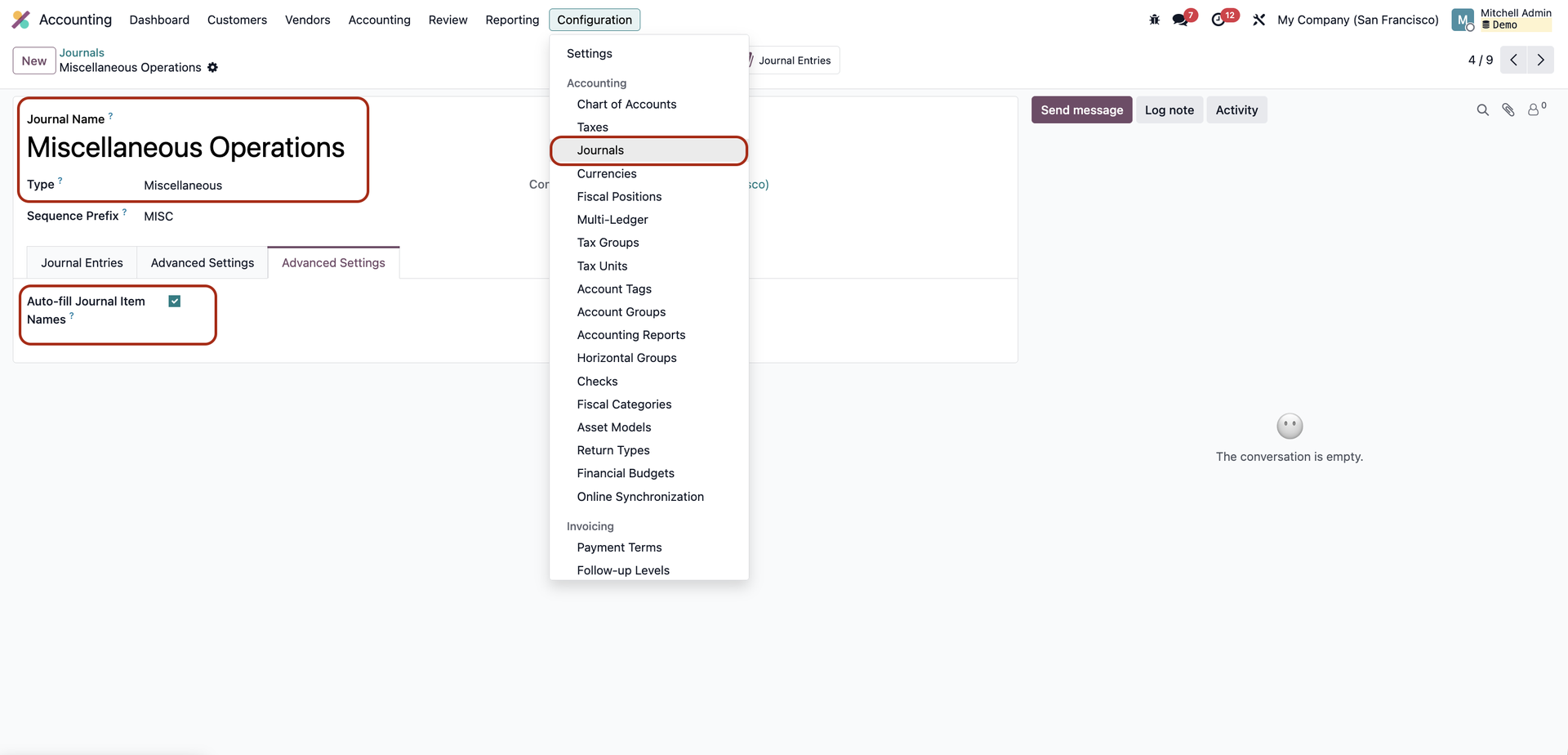
1-Enable Auto-fill Journal Item Names from: Journal configuration or Company settings
2-Create or open a Journal Entry
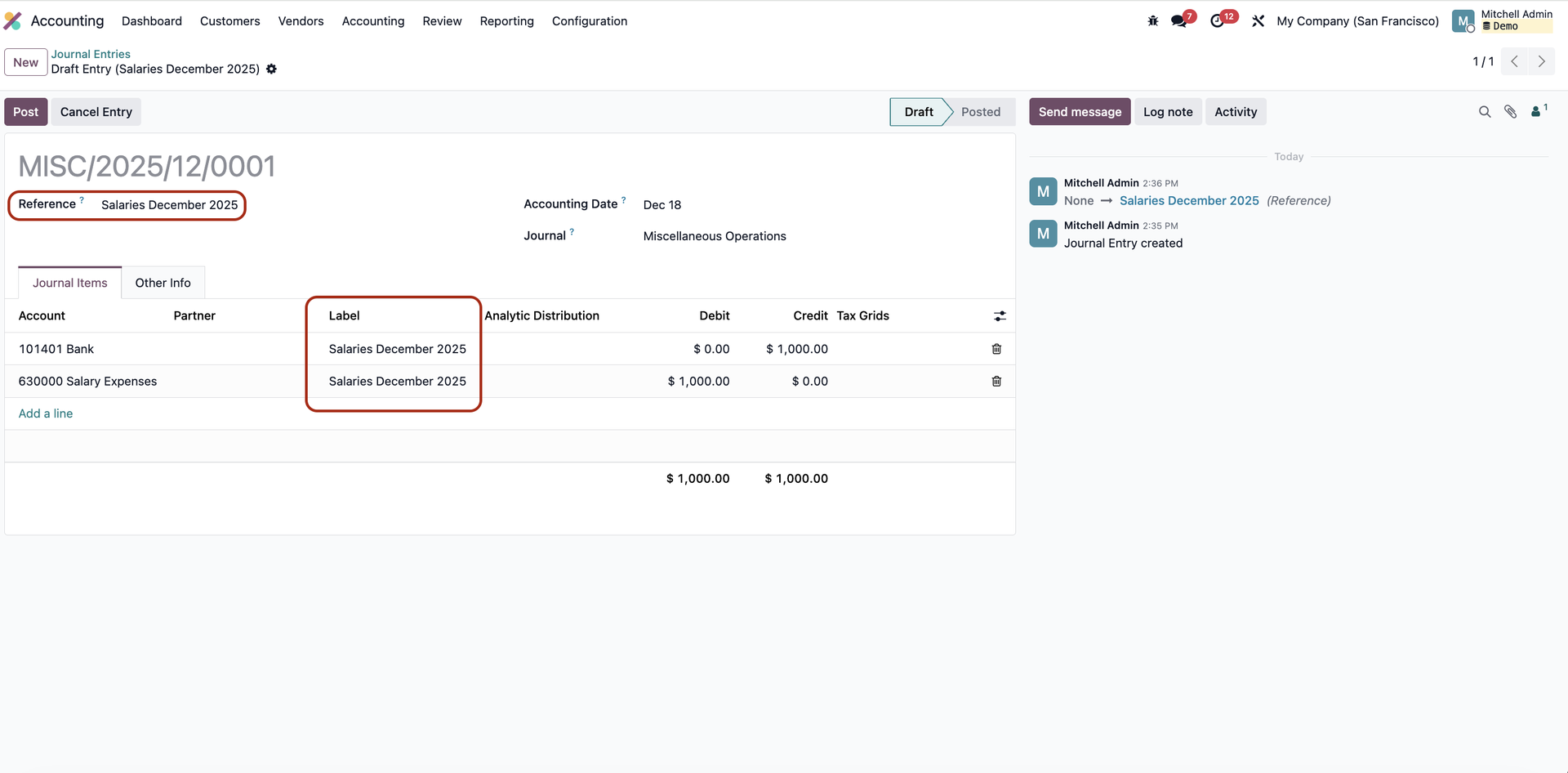
3-Enter a value in the Reference field
4-Journal line labels are automatically filled from the reference
2.Update Existing Entries
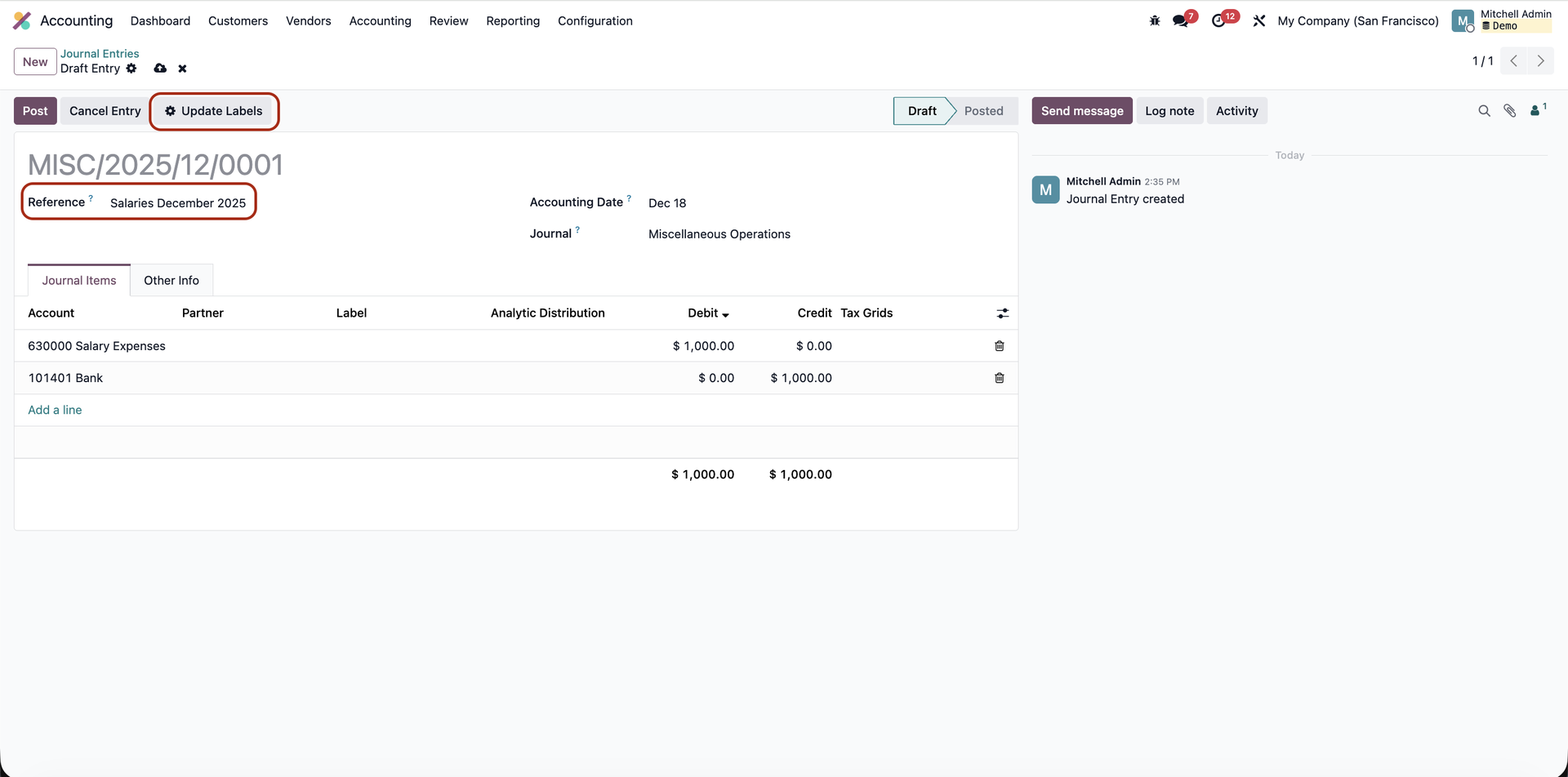
1-If journal line labels differ from the reference: The Update Labels button appears automatically
2-Click Update Labels to synchronize all line names with the reference
آراء من استخدمه
لا تقييمات بعد. لو جرّبته، قيّمه هنا ويظهر رأيك فورًا.
تحتاج مساعدة في التثبيت أو تعديلًا عليه؟
نثبّته على نسختك ونعدّله على طريقة عملك بتكلفة واضحة مسبقًا.
اسأل على واتسابموديولات أخرى
- Journal Entry Printing · المحاسبة
- Stock Card Report · المخزون
- Asset Cancellation · المحاسبة