تطبيقاتنا / المحاسبة
Journal Entry Printing
سند قيد مطبوع بشكل محاسبي مألوف، بخانات التوقيع، للأرشفة والمراجعة الورقية التي ما زالت مطلوبة في مصر والسعودية.
★★★★★838 تحميليعمل على أودو 17.0, 18.0, 19.0مجاني
حمّل الإصدار الذي يناسبك
- تحميلأودو 19.0285 تحميل · sss_simple_journal_report.zip
- تحميلأودو 18.0272 تحميل · sss_simple_journal_report.zip
- تحميلأودو 17.0281 تحميل · sss_simple_journal_report.zip
- الناشر
- Solid Super Solutions
- الدعم
- info@solidsups.com
- الرخصة
- LGPL-3، كود مفتوح قابل للتعديل
- التثبيت
- فك الضغط في مجلد الإضافات ثم تحديث قائمة التطبيقات
الشاشات

ماذا يفعل
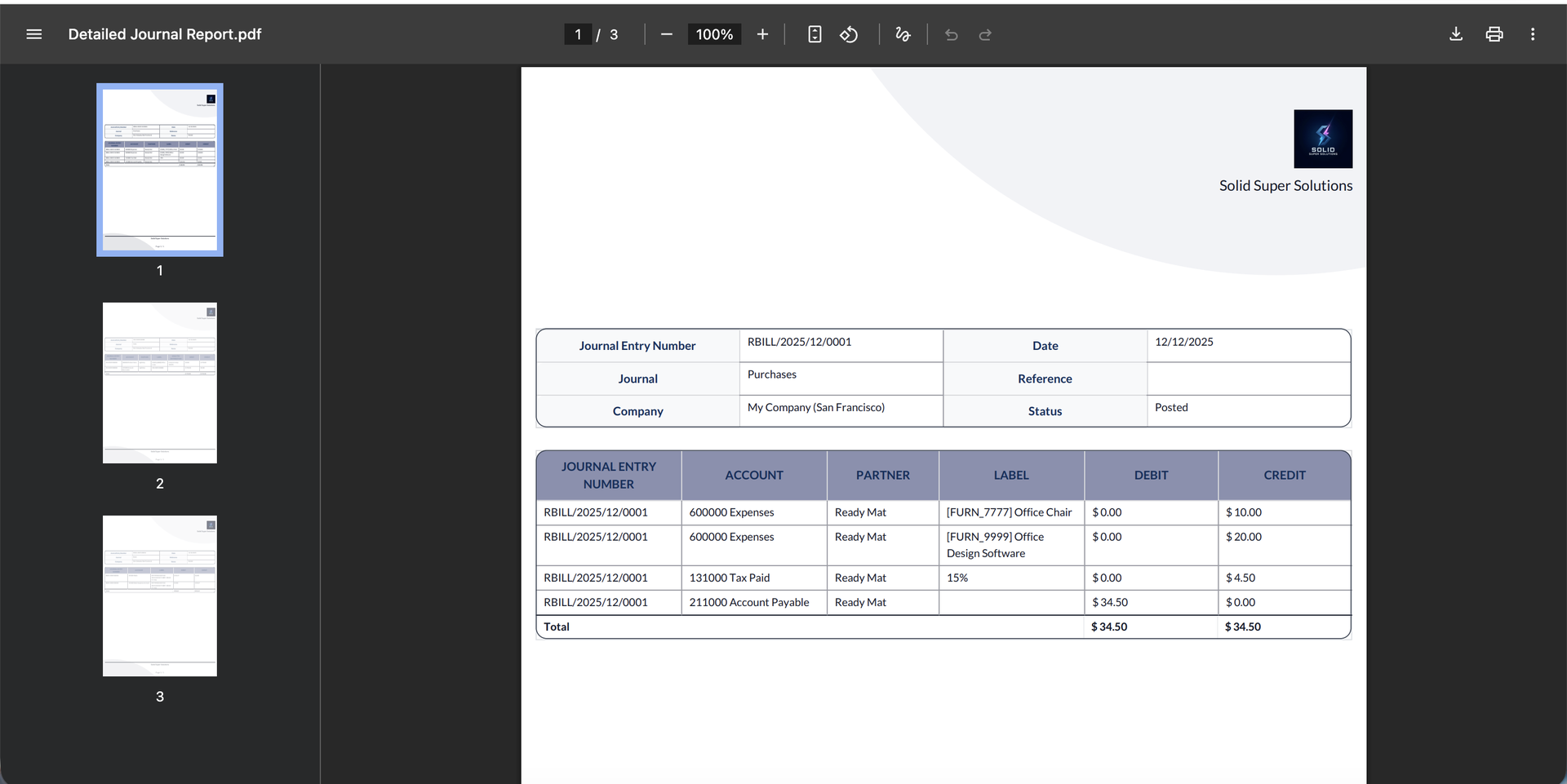
Detailed Journal Report provides a clean and professional view of journal entries, making accounting review, audits, and financial analysis easier and more transparent.
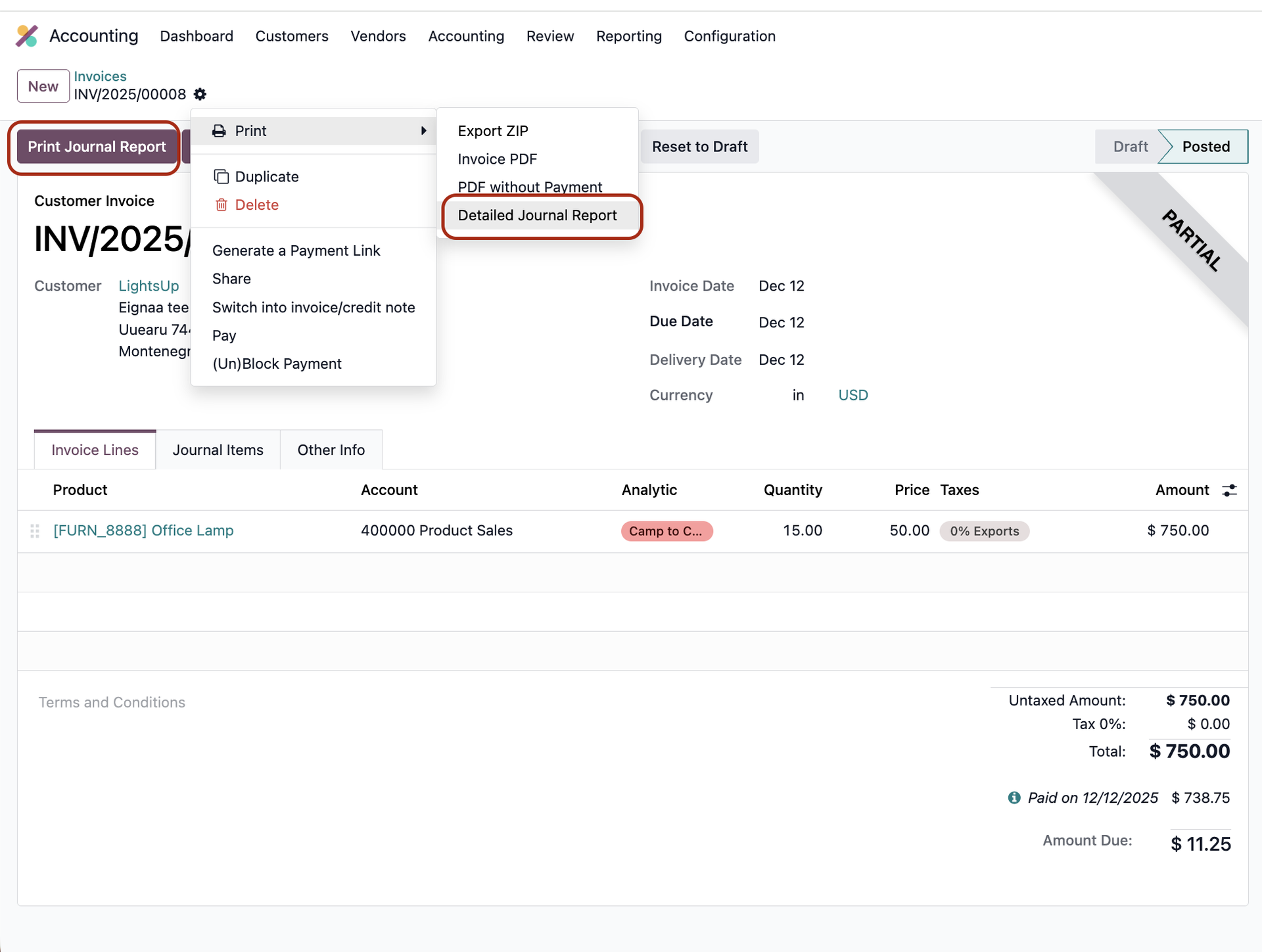
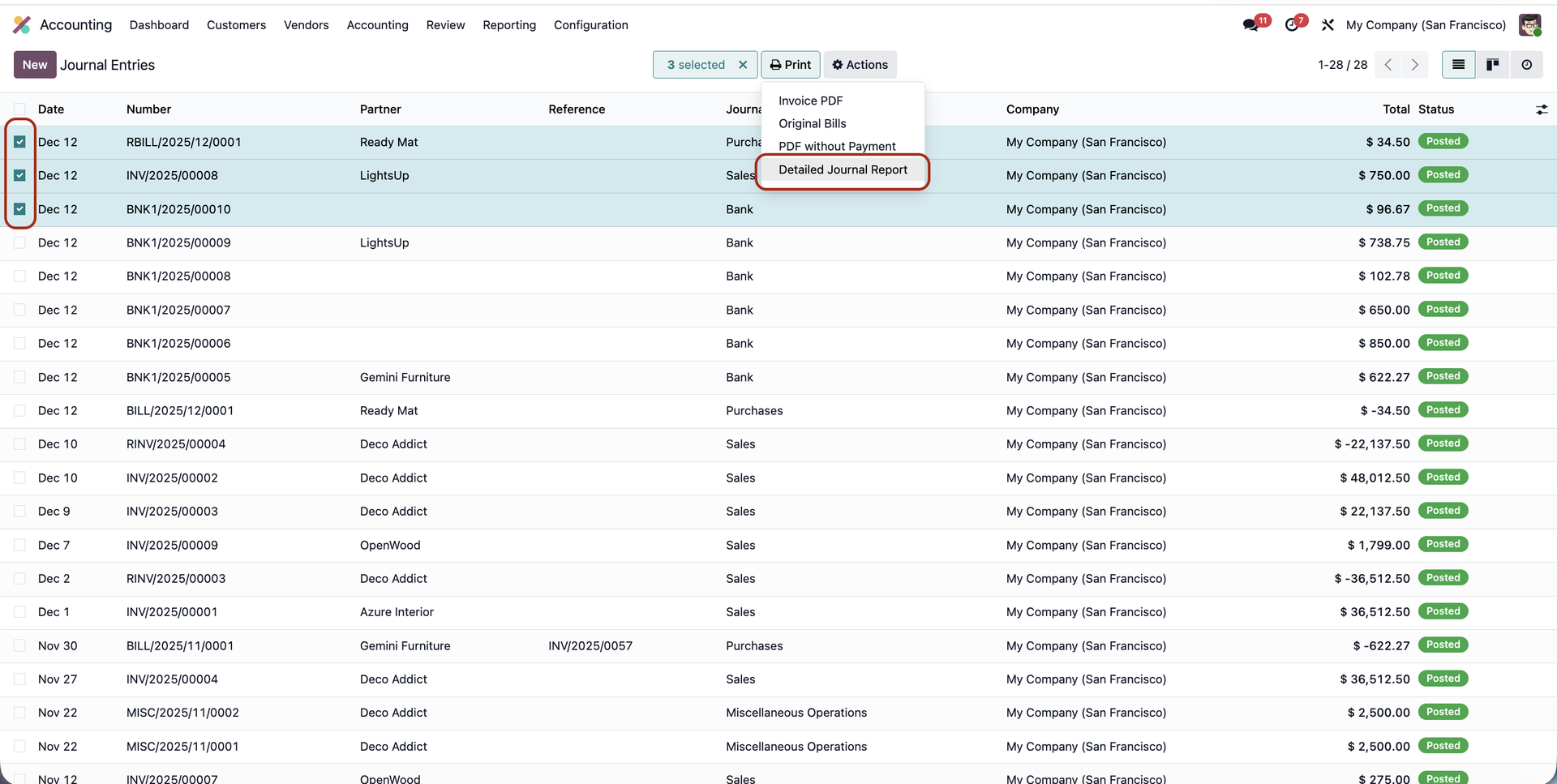
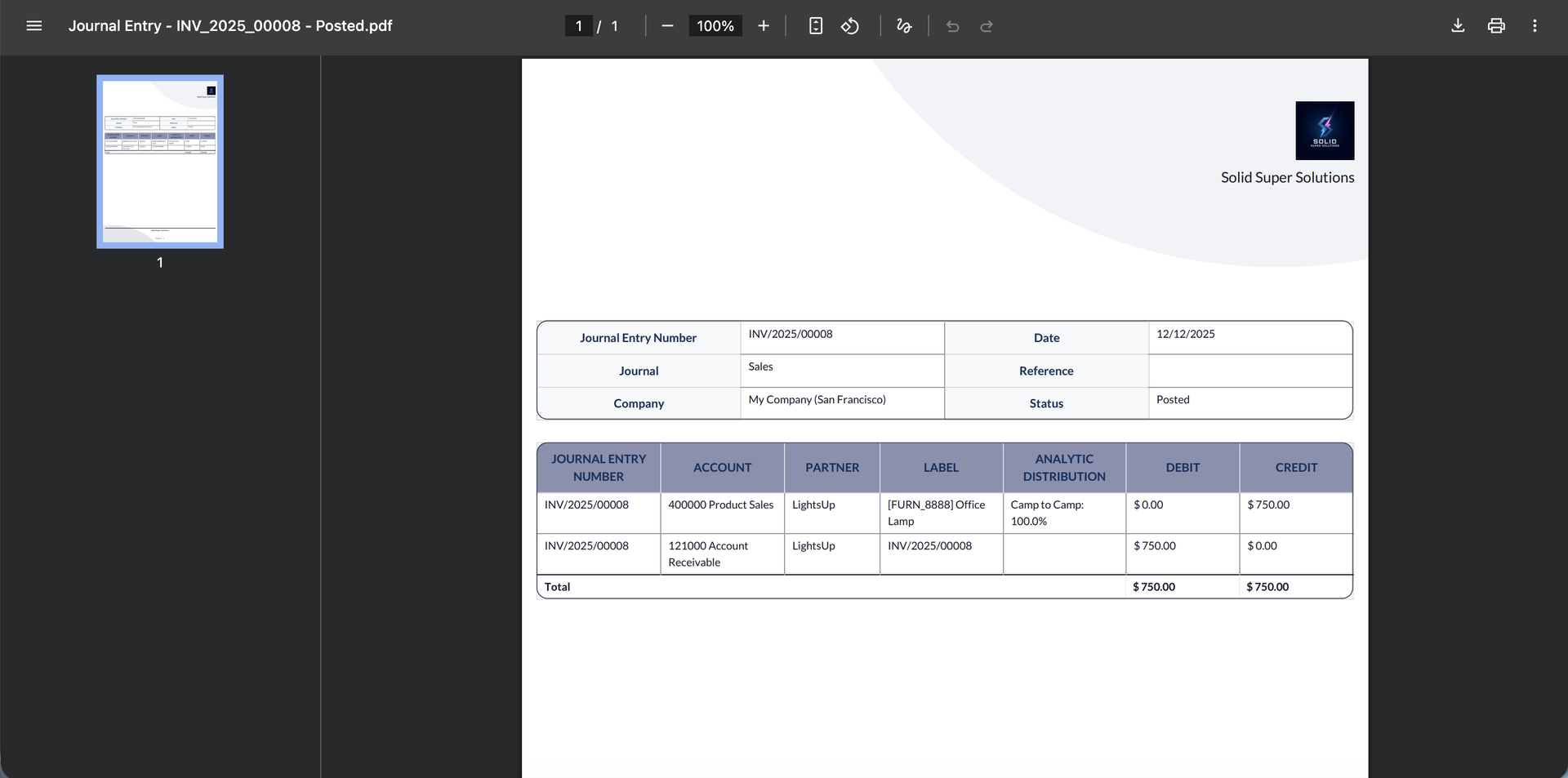
With one click, users can generate print-ready PDF reports directly from invoices or journal entries, including full debit and credit details along with analytic distribution when applied.
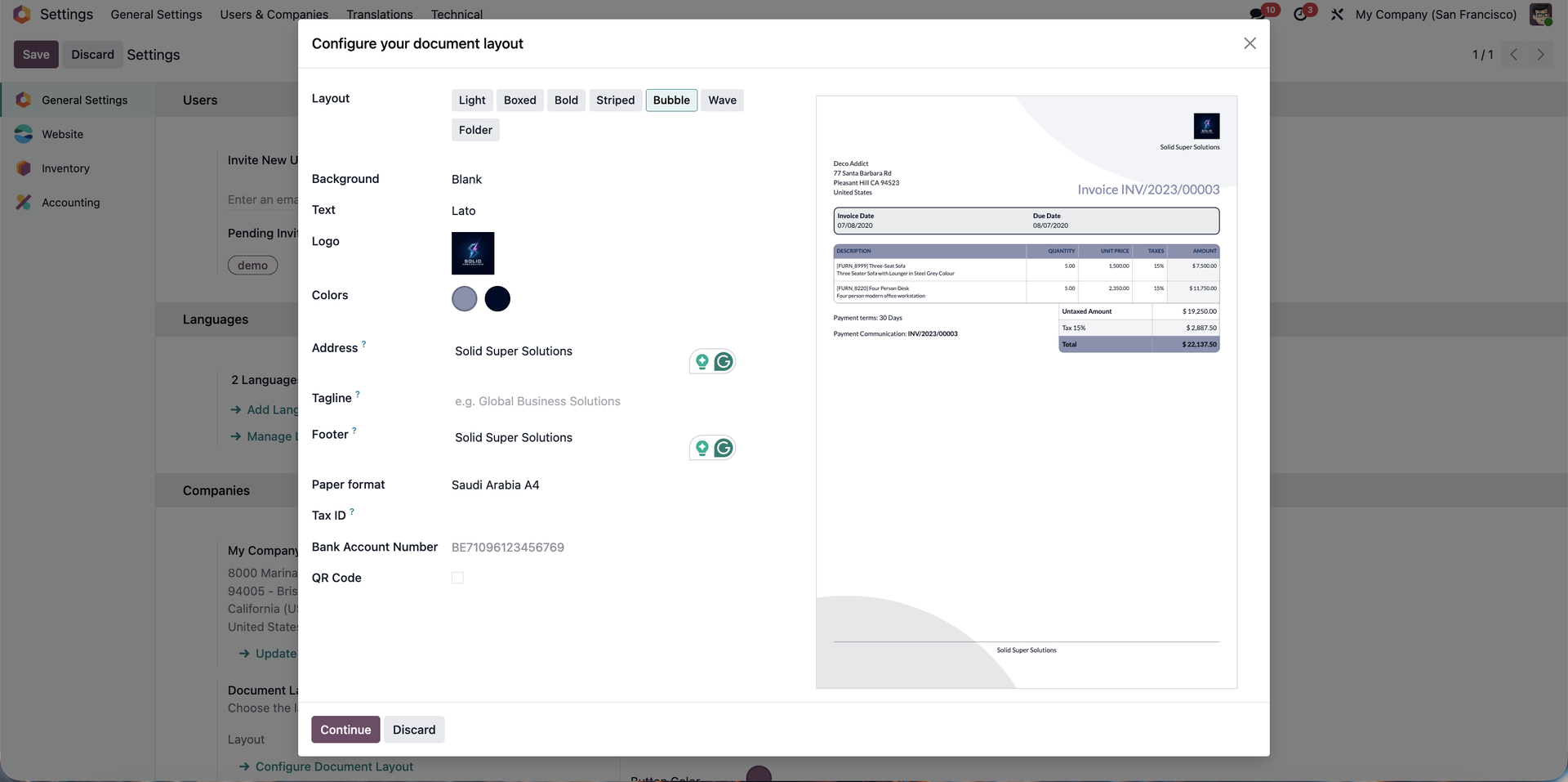
The report follows Odoo’s document layout settings, ensuring consistent branding across all financial documents and delivering reliable, audit-ready journal reporting.
كيف يعمل
1.How It Works
1-Open a posted Journal Entry or posted Invoice
2-Click Print or Print Journal Report
3-Select Detailed Journal Report
4-The system generates a professional PDF journal report
2.Report Content
1-Journal entry number, date, and journal type
2-Partner, account, and line descriptions
3-Clear debit and credit amounts per line
4-Analytic distribution with percentage allocation (if applied)
5-Totals validation (Debit = Credit)
آراء من استخدمه
لا تقييمات بعد. لو جرّبته، قيّمه هنا ويظهر رأيك فورًا.
تحتاج مساعدة في التثبيت أو تعديلًا عليه؟
نثبّته على نسختك ونعدّله على طريقة عملك بتكلفة واضحة مسبقًا.
اسأل على واتسابموديولات أخرى
- Stock Card Report · المخزون
- Asset Cancellation · المحاسبة
- Automate Journal Labels · المحاسبة