تطبيقاتنا / المخزون
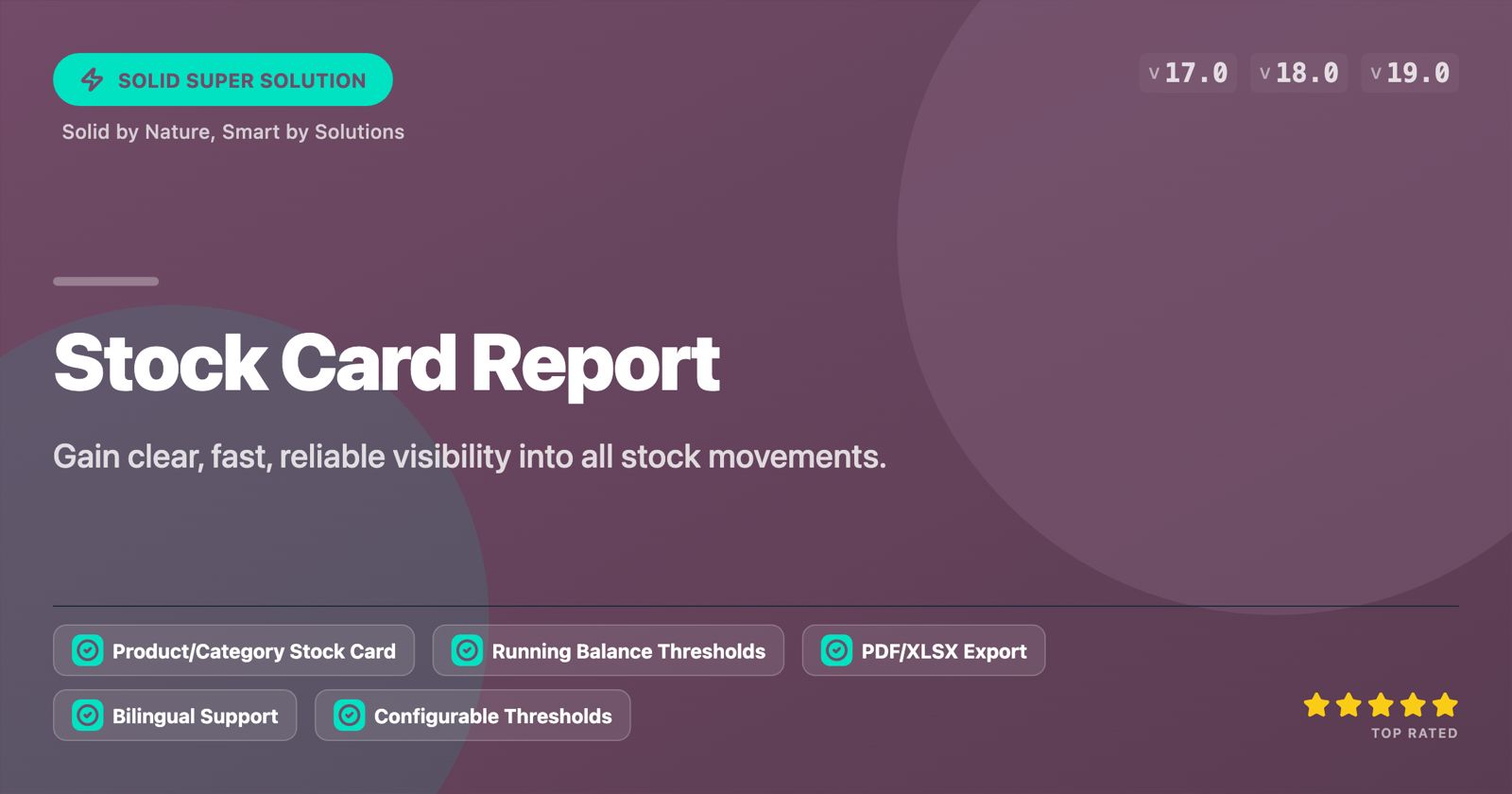
Stock Card Report
تقرير حركة الصنف كما يطلبه المحاسب وأمين المخزن: وارد، صادر، والرصيد بعد كل حركة، لأي مخزن وأي فترة.
★★★★★926 تحميليعمل على أودو 17.0, 18.0, 19.0مجاني
حمّل الإصدار الذي يناسبك
- تحميلأودو 19.0278 تحميل · sss_stock_card_report.zip
- تحميلأودو 18.0327 تحميل · sss_stock_card_report.zip
- تحميلأودو 17.0321 تحميل · sss_stock_card_report.zip
- الناشر
- Solid Super Solutions
- الدعم
- info@solidsups.com
- الرخصة
- LGPL-3، كود مفتوح قابل للتعديل
- التثبيت
- فك الضغط في مجلد الإضافات ثم تحديث قائمة التطبيقات
الشاشات
ماذا يفعل
Stock Card Report provides a clear and professional view of product stock movements over time, helping inventory teams track quantities with full accuracy.
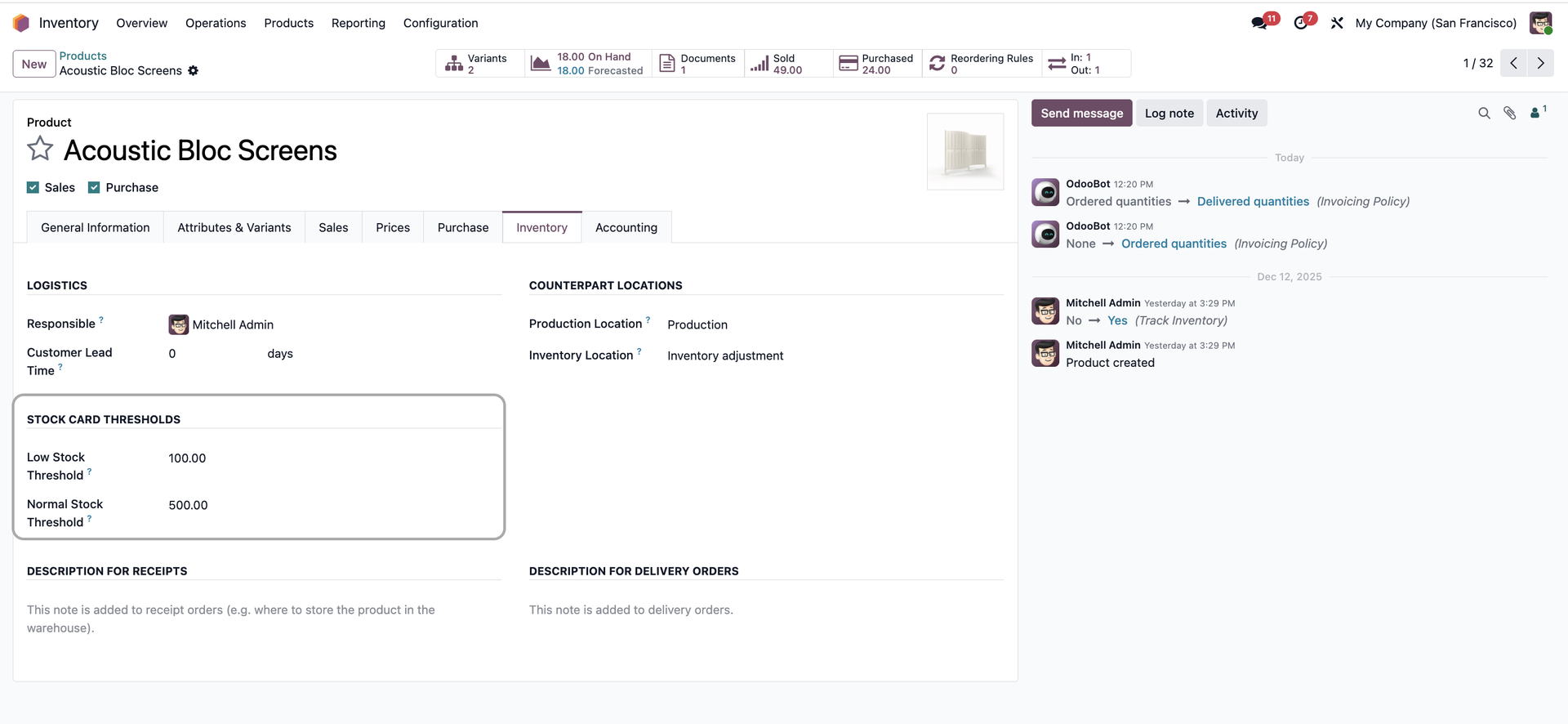
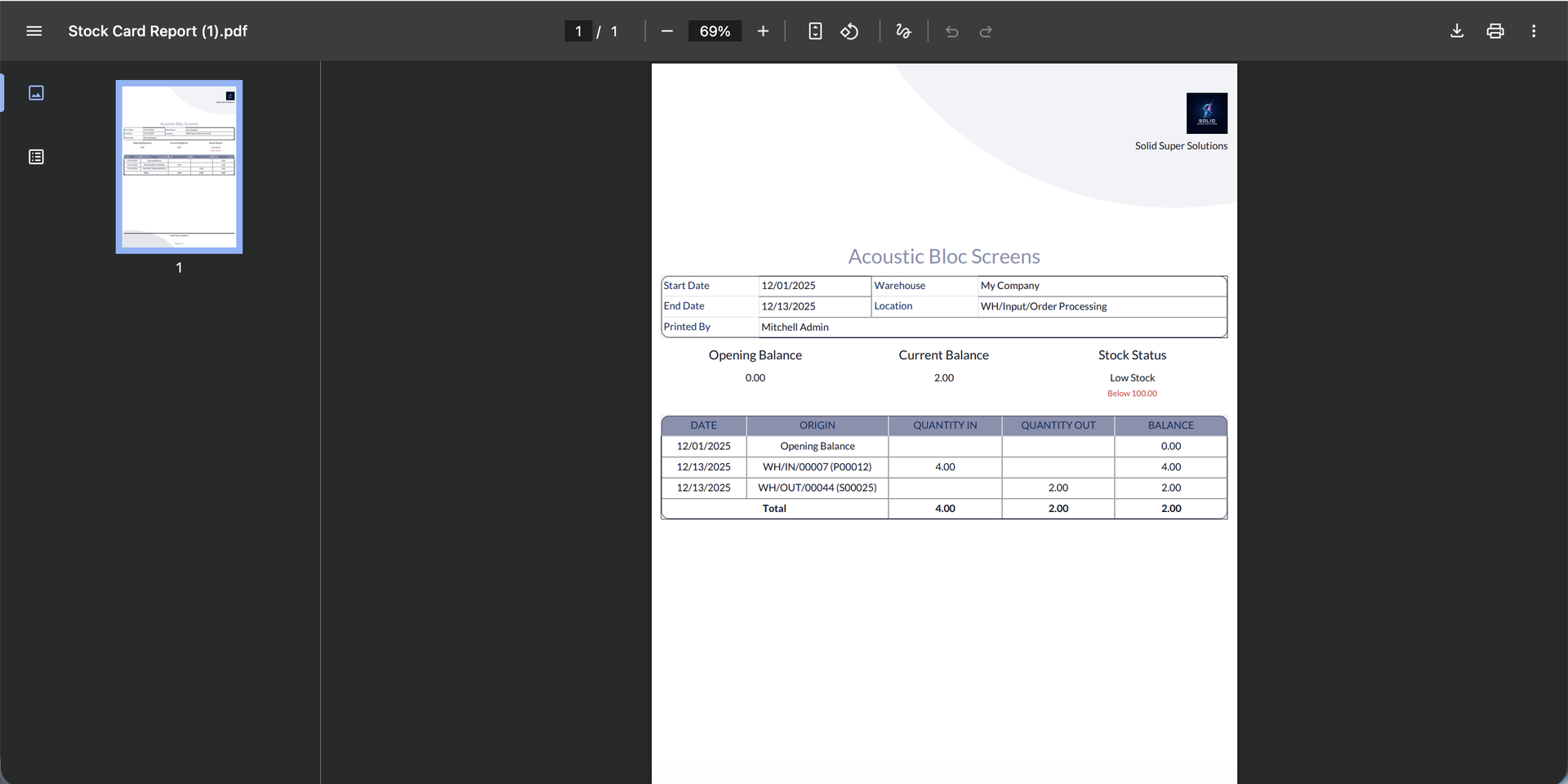
The module generates detailed stock cards by product or product category, showing opening balance, incoming and outgoing quantities, and running balance. Built-in stock thresholds visually highlight low stock situations for faster decision-making.
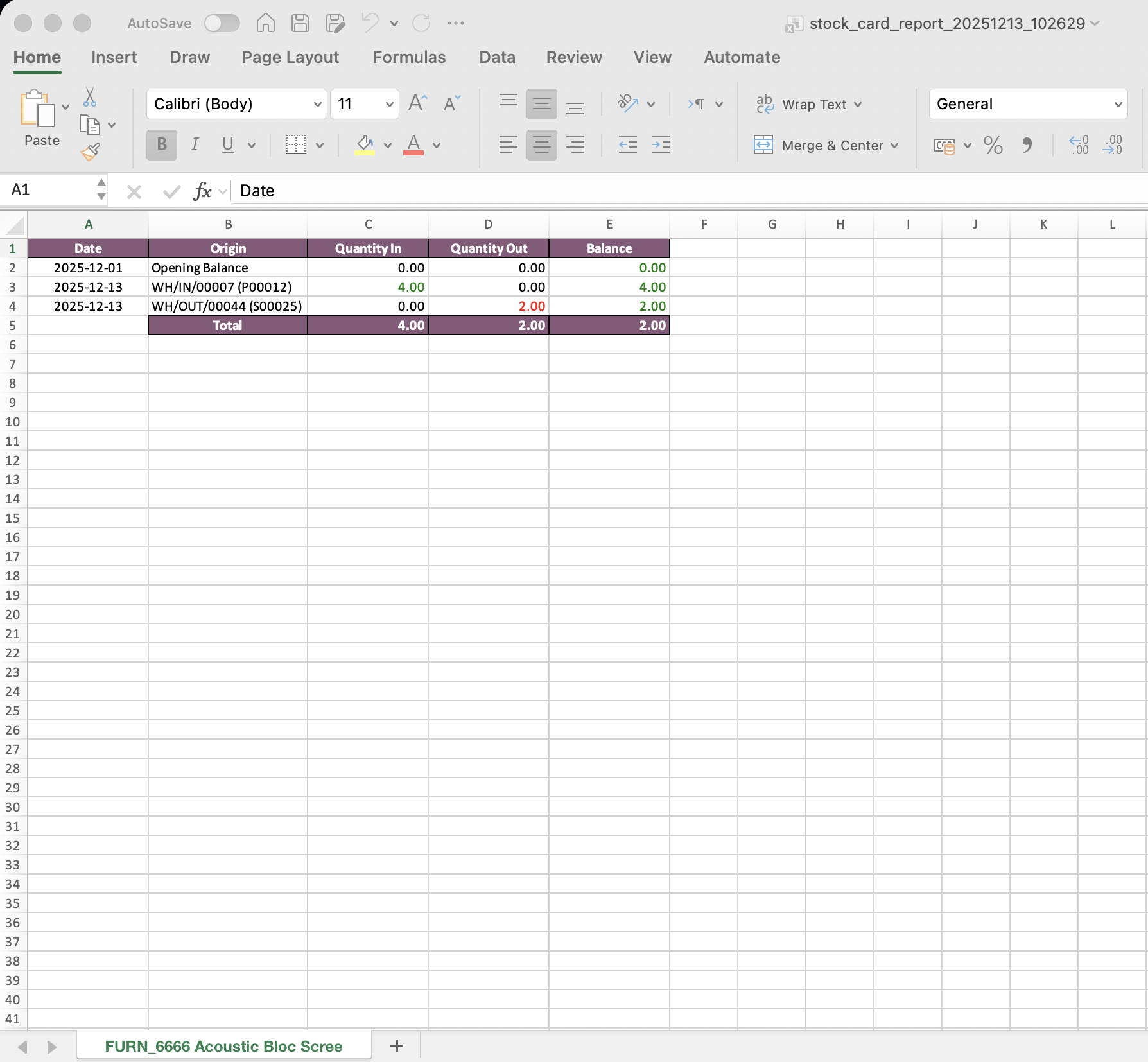
Reports can be exported as PDF for printing or Excel for analysis, making it ideal for warehouse managers and accountants who need accurate stock history and clear reporting.
كيف يعمل
1.How It Works
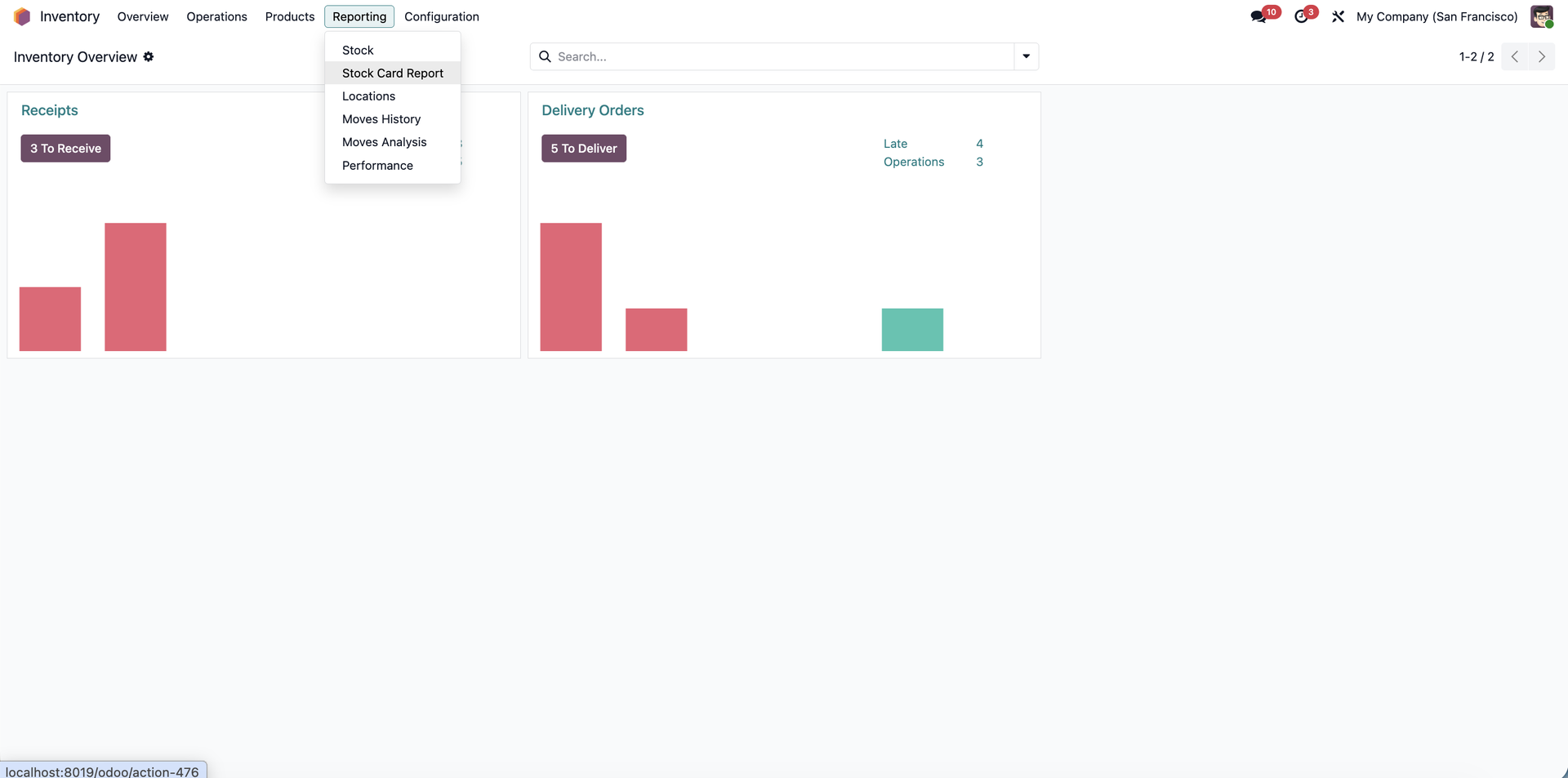
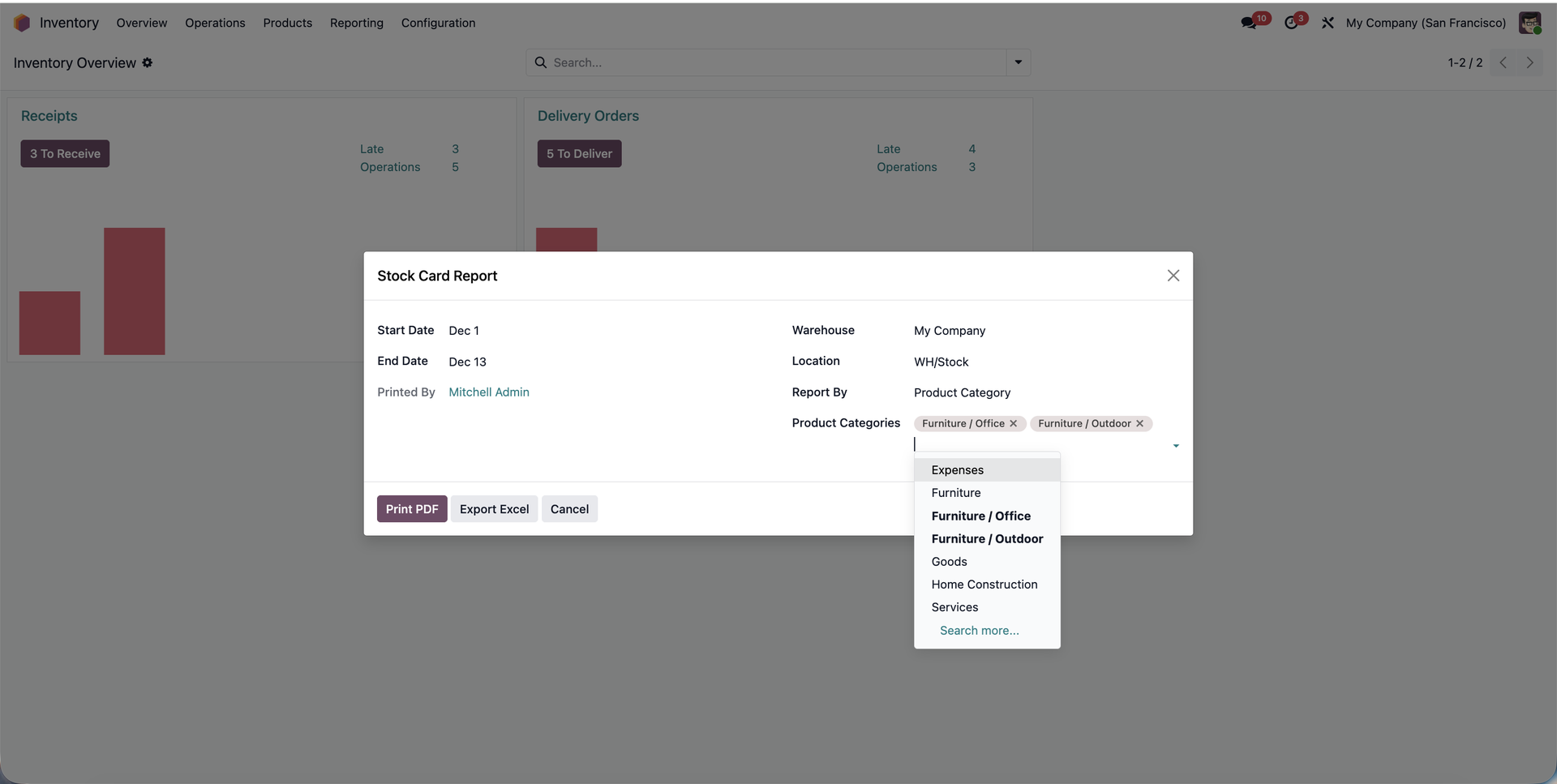
1-Go to Inventory → Reports → Stock Card Report
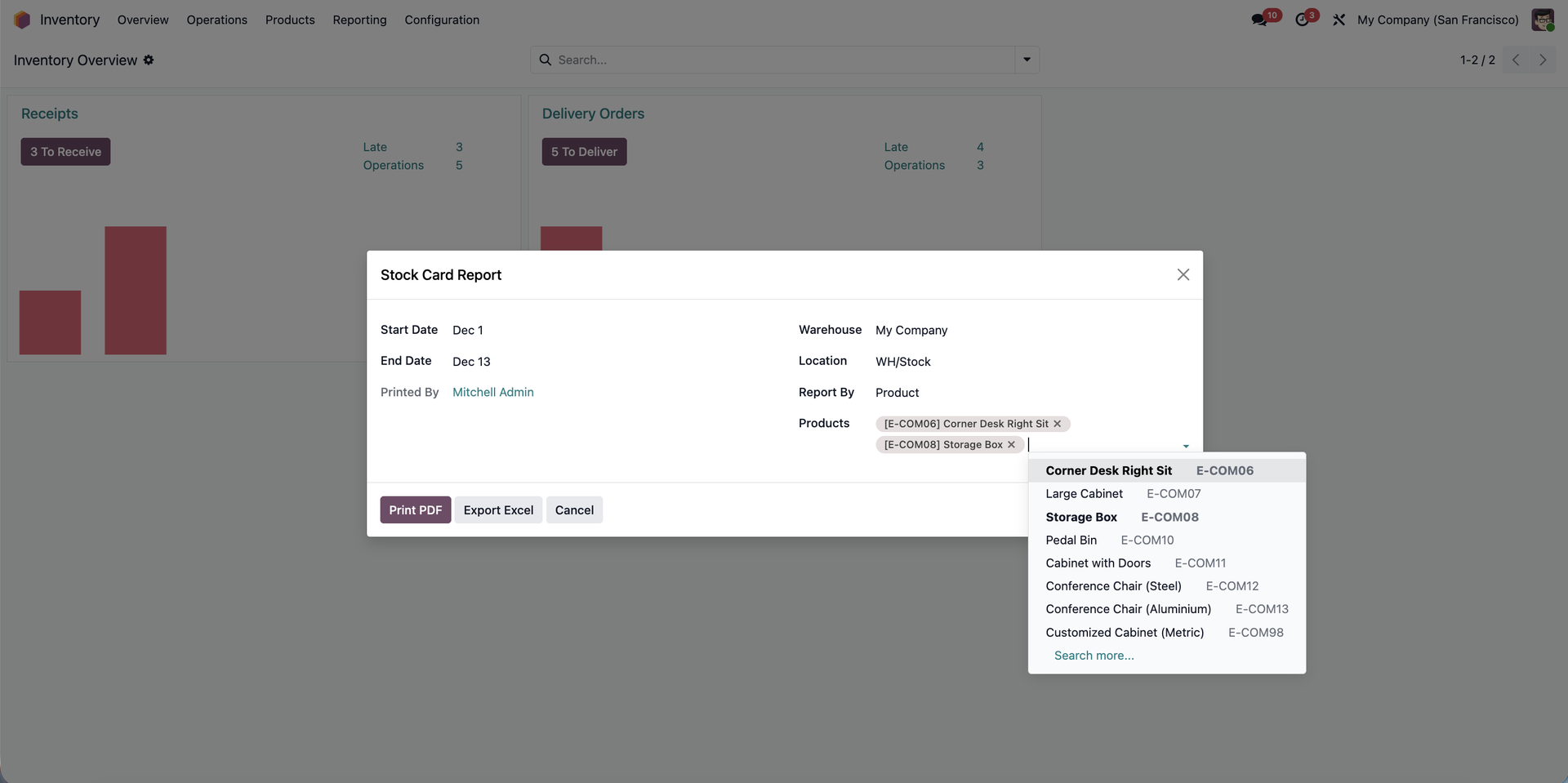
2-Select: Warehouse, Location, Date range, Product, or Product Category
3-Click Print or Export
2.Export Options
1-Generate a professional PDF report for printing
2-Export to Excel (XLSX) with: Separate sheet per product, Ready-to-analyze stock data
3.Report Output
1-Displays opening balance for the selected period
2-Shows all incoming and outgoing stock movements
3-Calculates running balance after each transaction
4-Highlights stock status based on: Low stock threshold, Normal stock level
آراء من استخدمه
لا تقييمات بعد. لو جرّبته، قيّمه هنا ويظهر رأيك فورًا.
تحتاج مساعدة في التثبيت أو تعديلًا عليه؟
نثبّته على نسختك ونعدّله على طريقة عملك بتكلفة واضحة مسبقًا.
اسأل على واتسابموديولات أخرى
- Journal Entry Printing · المحاسبة
- Asset Cancellation · المحاسبة
- Automate Journal Labels · المحاسبة